Act Now to Save Free Broadcast TV!
Check out the FCC Partition that Lon Seidman and the Antenna Man are asking us to fill out! I did my part!
Dr. Bill | The Computer Curmudgeon
Join Dr. Bill as he examines the wild and wacky world of the web, computers, and all things geeky! Hot Tech Tips, Tech News, and Geek Culture are examined… with plenty of good humor as well!
Dr. Bill pontificates on all things technical!
Check out the FCC Partition that Lon Seidman and the Antenna Man are asking us to fill out! I did my part!
 These are Google Chrome, or Microsoft Edge, or any Chrome-based browser extensions, available by searching from the various browser extension “stores.”
Adblock Plus
Surf the web with no annoying ads. Experience a cleaner, faster web and block annoying ads. Acceptable Ads are allowed by default to support websites. Adblock Plus is free and open source (GPLv3+).
Bitwarden
Move fast and securely with the password manager trusted by millions. Drive collaboration, boost productivity, and experience the power of open source with Bitwarden, the easiest way to secure all your passwords and sensitive information.
Checker Plus for Google Calendar
See your next meetings and the current date on the icon, get desktop event reminders, add events from the popup in month, week or agenda view without ever opening the webpage, plus many options!
Extensity
Quickly enable/disable Google Chrome or Edge extensions. Tired of having too many extensions in your toolbar? Try Extensity, the ultimate tool for lightning fast enabling and disabling all your extensions for Google Chrome. Just enable the extension when you want to use it, and disable when you want to get rid of it for a little while. You can also launch Chrome Apps right from the list.
Feedbro
Advanced Feed Reader – Read news & blogs or any RSS/Atom/RDF source. Read and follow feeds and social media with Feedbro. With Feedbro you can read RSS, Atom and RDF feeds and thanks to built-in integration also content from Facebook, Twitter, Instagram, VK, Telegram, Rumble, Yammer, YouTube Channels, YouTube Search, LinkedIn Groups, LinkedIn Job Search, Bitchute, Vimeo, Flickr, Pinterest, Google+, SlideShare Search, Telegram, Dribbble, eBay Search and Reddit. No more surfing around for hours every day! Content comes to you! You can save massive amount of time! As a result, you can maximize your productivity and use the time to produce value and reach your goals!
minorBlock
Blocks cryptocurrency miners all over the web. MinerBlock is an efficient browser extension that aims to block browser-based cryptocurrency miners all over the web. The extension uses two different approaches to block miners. The first one is based on blocking requests/scripts loaded from a blacklist, this is the traditional approach adopted by most ad-blockers and other mining blockers.
EFF Privacy Badger
Privacy Badger automatically learns to block invisible trackers. Instead of keeping lists of what to block, Privacy Badger automatically discovers trackers based on their behavior. Privacy Badger sends the Global Privacy Control signal to opt you out of data sharing and selling, and the Do Not Track signal to tell companies not to track you. If trackers ignore your wishes, Privacy Badger will learn to block them. Besides automatic tracker blocking, Privacy Badger replaces potentially useful trackers (video players, comments widgets, etc.) with click-to-activate placeholders, and removes outgoing link click tracking on Facebook and Google, with more privacy protections on the way.
uBlock Origin
Finally, an efficient blocker. Easy on CPU and memory. IMPORTANT: uBlock Origin is completely unrelated to the site “ublock.org.” uBlock Origin is not an “ad blocker”, it’s a wide-spectrum content blocker with CPU and memory efficiency as a primary feature.
Windows Resizer
Resize Google Chrome or Edge windows. Window Resizer is a utility to allow you to easily resize Google Chrome or Edge windows to specific sizes. Lawful Good is a suite of Google Chrome plugins that provide much needed developer & user functionality, without clogging your browser up with spyware, malware or other trash.
 I love Open Source software! I feel that it is more secure, and more innovative than “commercial” software in many cases. However, the main thing I like about them is that they are FREE!
I have listed below my personal picks for various software categories. This is software I use on a very regular basis. For the most part, I install these on EVERY computer that I use (that runs Windows.) In the case of my Linux machines, most of these will also run there, natively, and have the same interface on both platforms, which contributes to their ease of use.
Computer-based Bible Software
e-Sword
Audio and Video Metatag Editor
MP3tag
Computer-based Art and Drawing
The GIMP
Paint.NET
Video Player
The Potplayer
VLC Player
Text Editor
Notepad++
Archive Manager
7-Zip
E-Mail Manager
Thunderbird
Bittorrent Client
qBittorrent
Hard Disk Utility
WinDirStat
Bleachbit
Backup Tool
Clonezilla
Detailed Disk Search
Everything
Web Browser
Microsoft Edge
Local Virtualization
Oracle VirtualBox
Audio Editor/Recorder
Audacity
Office/Productivity Suite
OnlyOffice
LibreOffice
Remote Access
TightVNC
Video “Scraper” / Downloader
JDownloader 2
4K Downloader
FTP Client
Filezilla
Video Production/Streaming
OBS Studio
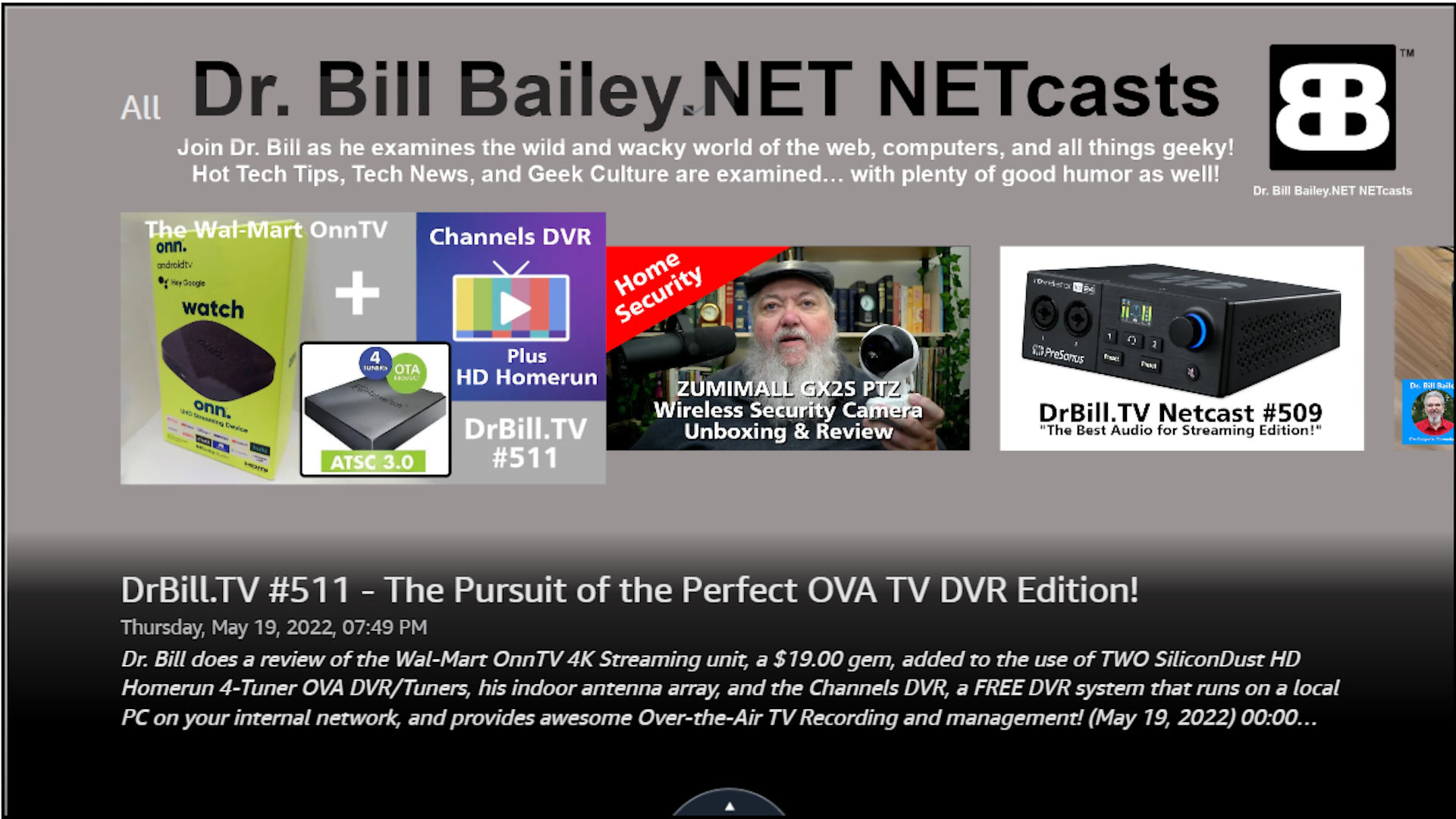 This has been a LONG time coming! We now have a FireTV App in the Amazon Appstore! If you have a FireTV, just click on this special, easy to remember link:
This will take you to the Amazon FireTV Appstore, and you can click on the “Gold Button” to “buy” the App… it is really FREE, but that is how the Appstore works. Their nomenclature, not mine! How do you “buy” a FREE App? Oh well!
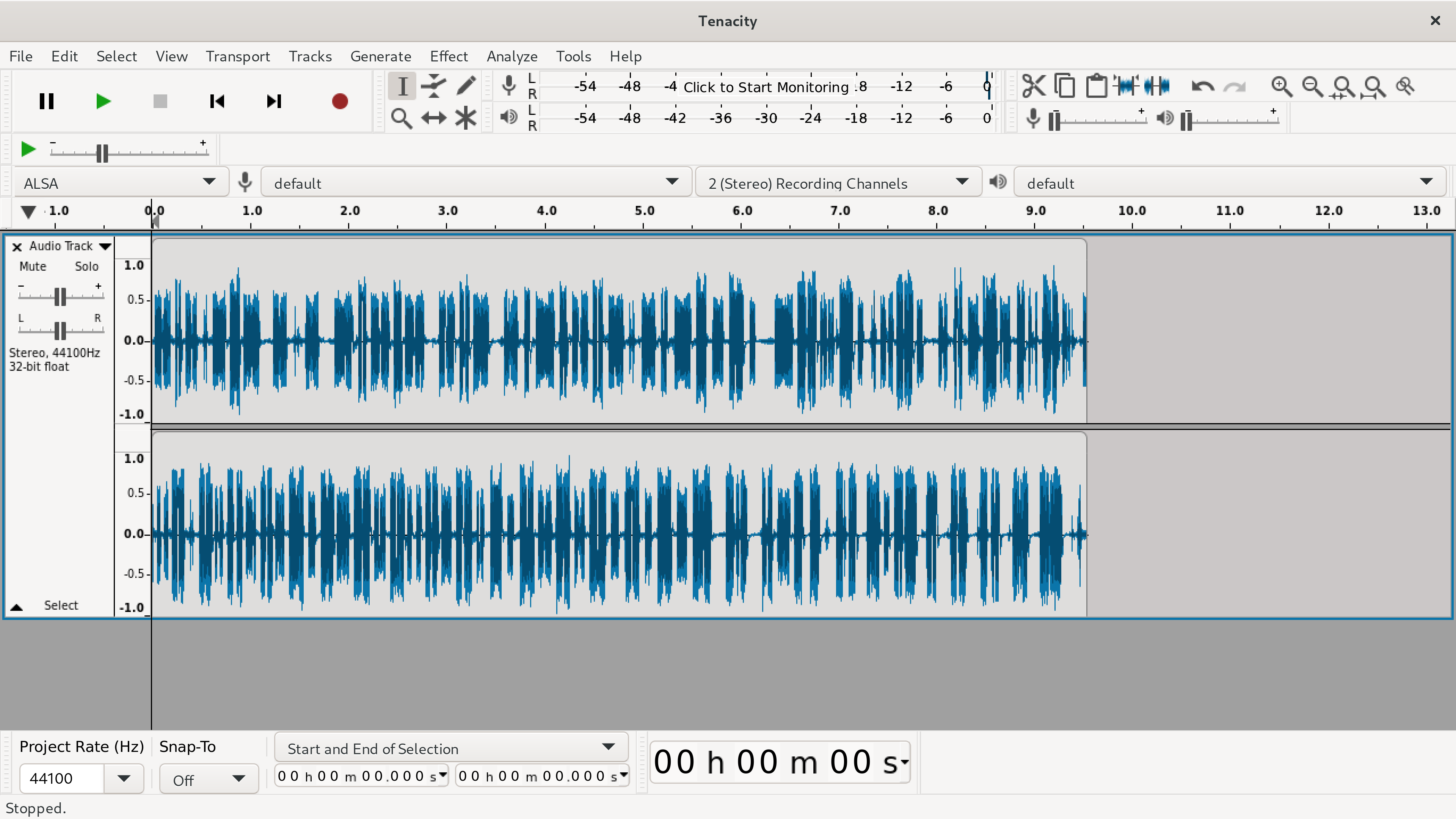 So, remember when I announced that the great Open Source audio editor called “Audacity” had been bought up by the evil minions of corporate greed? And, they put “call home” code into Audacity? Well, I removed it from all my machines immediately! The Open Source community came together to fork the Open Source Audacity project… many variants began… but one… called “Tenacity” looks to be actually moving forward. On the show this week, I have an overview of a very, very early release candidate for Tenacity. And, I have become a sponsor of the project!
Don’t “jump the gun” as there are not yet any binaries available for download, but they will be coming soon.
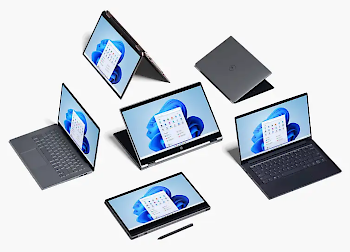 Everything You’ll Lose From Windows 10 When You Upgrade to Windows 11
Gizmodo – By: David Nield Windows 11 is on the way, and it’s going to bring with it a new look, new colors, and new features when it becomes available later in the year. But not everything that’s currently in Windows 10 is going to survive the upgrade.
Expect a few additions and subtractions in terms of features between now and the public rollout of Windows 11, but here’s everything that will get lost along the way that we know about so far.
Internet Explorer
What’s that? You thought it had been killed off already? It’s actually still available in Windows 10, if you dig deep enough, but all traces of Internet Explorer are going to be removed in Windows 11, with Microsoft Edge replacing it. For those really, really old legacy apps and sites you still need access to for whatever reason, use the IE mode in Edge.
Timeline
You may have never used Timeline, which is perhaps one of the reasons it’s going away with the arrival of Windows 11. The feature lets you sync your activity across multiple Windows computers over the last 30 days (files you’ve opened, websites you’ve visited, etc.), making it easier to jump between devices logged in with the same Microsoft account.
Live Tiles
Developers didn’t really embrace the Live Tiles feature on the Windows 10 Start menu, which enables different snippets of information to be shown and updated in real time. If you think that sounds a lot like widgets, you’d be right. But Microsoft is going to try and bring back desktop widgets with Windows 11, so let’s hope they work better than Live Tiles.
Start Menu Groups
Another feature pulled from the Start menu is the ability for users to group tiles together and name them: productivity, writing, games, or whatever. The layout of the Start menu won’t be resizable either, so it sounds as though Microsoft wants to make the Start menu experience much the same for everyone (as well as move it into the center of the screen).
Quick Status
In Windows 10, applications can leave little blocks of information on the lock screen to remind you about incoming emails, upcoming calendar appointments, etc. This functionality, called Quick Status, won’t be available to programs when Windows 11 arrives—although it’s possible that widgets (see above) will take up some of the slack.
Taskbar Location
Speaking of cutting out customizations, the taskbar can only be in one place in Windows 11: at the bottom of the screen. You might have never realized it, but you can position the taskbar on the left, on the right, or even at the top of the screen in Windows 10. If you like making those sorts of tweaks in your operating system, you’re going to be out of luck.
Tablet Mode
Windows 10 actually does a decent job of working on both tablets like the Surface Pro and full desktop or laptop computers, but Windows 11 won’t include a dedicated mode for tablet devices. nstead, this functionality will be reconfigured, and some of it will happen automatically (like when you attach or detach a Bluetooth keyboard, for example).
Cortana
Microsoft’s digital assistant isn’t getting pulled from Windows 11 entirely, but it will be gone from the setup process, and it will no longer be pinned to the taskbar. It’s unclear what Microsoft has planned for Cortana, but based on the features that have been added to it over the last year or so, it might get repositioned as a business tool.
Windows S Mode
This is another feature that isn’t completely going away, but you’ll see less of it: S Mode, which only allows apps from the official Microsoft Store to be installed in order to improve performance and security, is only going to be an option in Windows 11 Home edition. At the moment you can get Windows 10 Home and Windows 10 Pro with S Mode enabled.
Skype
Skype will still be available in Windows 11, but the new and updated OS won’t include it as an integrated component in the same way that Windows 10 does. That’s because Microsoft is now focused on Teams as the answer to all your communication needs, including video—get ready for a lot of tight Teams integrations in the final Windows 11 experience.”
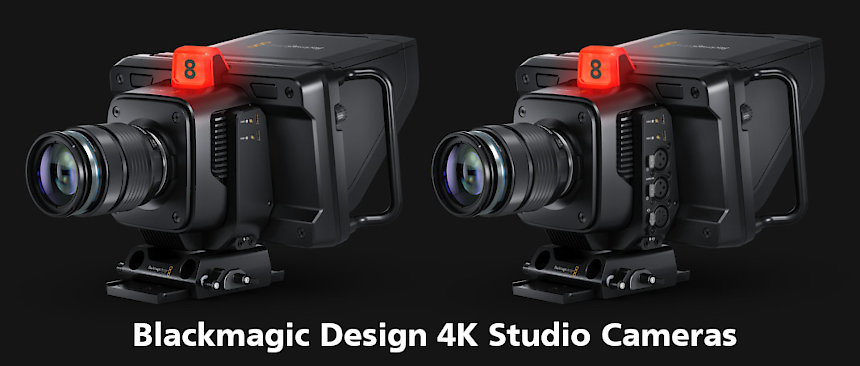
Blackmagic Design 4K Studio Cameras
Today, I watched the Blackmagic Studio event live on YouTube. It was awesome! There were a lot of great equipment revelations, but my attention was on the new studio cameras! One is designed specifically for what I like to think of as “church video,” as I recommend equipment to a lot of churches. If you already use a Blackmagic Design ATEM Mini, or Mini Pro, these cameras are perfect! Specifically this one:
Blackmagic Studio Camera 4K Plus
“Designed as the perfect studio camera for ATEM Mini, this model has a 4K sensor up to 25,600 ISO, MFT lens mount, HDMI out, 7″ LCD with sunshade, built-in color correction and recording to USB disks.”
Then, if you want to go the full, professional, SDI cable route, and get all the “bells and whistles”, there is this one:
Blackmagic Studio Camera 4K Pro
“Designed for professional SDI or HDMI switchers, you get all the features of the Plus model, as well as 12G-SDI, professional XLR audio, brighter HDR LCD, 5 pin talkback and 10G Ethernet IP.”
Designed for Live Production
“While Blackmagic Studio Camera is designed for live production, it’s not limited to use with a live switcher! That’s because it records Blackmagic RAW to USB disks, so it can be used in any situation where you use a tripod! The large 7″ viewfinder makes it perfect for work such as chat shows, television production, broadcast news, sports, education, conference presentations and even weddings! The large bright display with side handles, touch screen and physical controls makes it easy to track shots while being comfortable to use for long periods of time. Because it’s so lightweight, it’s perfect when you’re constantly changing locations and doing different kinds of work.”
Revolutionary Studio Camera Design
“Large broadcasters use expensive studio cameras that are extremely large, so they’re not very portable. The distinctive Blackmagic Studio Camera has all the benefits of a large studio camera because it’s a combination of camera and viewfinder all in a single compact design. It features a lightweight carbon fiber reinforced polycarbonate body with innovative technology in a miniaturized design. The camera is designed for live production so it’s easy to track and frame shots with its large 7″ viewfinder. The touchscreen has menus for camera settings, and there’s knobs for brightness, contrast and focus peaking. Plus a tripod mount with mounting plate is included for fast setup!”
Exceptional Low Light Performance
“In advanced cameras, ISO is a measurement of the image sensor’s sensitivity to light. This means the higher the ISO the more gain can be added so it’s possible to shoot in natural light, or even at night! The Blackmagic Studio Camera features gain from -12dB (100 ISO) up to +36dB (25,600 ISO) so it’s optimized to reduce grain and noise in images, while maintaining the full dynamic range of the sensor. The primary native ISO is 400, which is ideal for use under studio lighting. Then the secondary high base ISO of 3200 is perfect when shooting in dimly lit environments. The gain can be set from the camera, or remotely from a switcher using the SDI or Ethernet remote camera control.”
Get Cinematic Images in Live Production!
“The amazing 4K sensor combined with Blackmagic generation 5 color science gives you the same imaging technology used in digital film cameras. That means you can now use cinematic images for live production! Plus, when combined with the built in DaVinci Resolve primary color corrector you get much better images than simple broadcast cameras. The color corrector can even be controlled from the switcher. With 13 stops of dynamic range, the camera has darker blacks and brighter whites, perfect for color correction. The sensor features a resolution of 4096 x 2160 which is great for both HD and Ultra HD work. Plus, all models support from 23.98 fps up to 60 fps.”
Affordable Photographic Lenses!
“With the popular MFT lens mount, Blackmagic Studio Cameras are compatible with a wide range of affordable photographic lenses. Photographic lenses are incredible quality because they’re designed for use in high resolution photography. Plus, the active lens mount lets you adjust the lens remotely! To eliminate the need to reach around to adjust the lens zoom and focus, the optional focus and zoom demands let you adjust the lens from the tripod handles just like a large studio camera! This means you avoid camera shake when adjusting the lens, so you can track shots and operate the camera without taking your hands off the tripod! It gives you the same feel as an expensive B4 broadcast lens!”
Frame Shots with Large 7″ Viewfinder
“The large 7″ high resolution screen will totally transform how you work with the camera because it’s big enough to make framing shots much easier. The Pro model features a HDR display with extremely high brightness, perfect outdoors in sunlight! On screen overlays show status and record parameters, histogram, focus peaking indicators, levels, frame guides and more. You can even apply 3D LUTs for monitoring shots with the desired color and look. The touchscreen also has menus and you can load and customize presets for different jobs. The included sun shade can be folded to protect the screen for transport plus it’s compatible with sun shades from the Blackmagic Studio Viewfinder!”
Physical and Touchscreen Controls
“Blackmagic Studio Cameras feature physical buttons and knobs as well as controls on the touchscreen. Knobs on the right side of the camera allow adjusting of the brightness, contrast and focus peaking. The focus peaking knob is incredibly useful as it lets you fine tune the detail highlight so you can get perfect focus as you zoom. The 3 function buttons on the left can have functions assigned to them, such as zebra, false color, focus peaking, LUTs and more! Plus you can change the function assigned to each button in the menus. The touchscreen also includes a heads up display with the most important shooting information, as well as menus for all camera settings, LUTs and custom presets.”
Built-in Tally for On Air Status
“Blackmagic Studio Cameras feature a very large tally light that illuminates red for on air, green for preview and orange for ISO recording. The tally light also includes clip on transparent camera numbers, so it’s easy for talent to see camera numbers from up to 20 feet away! The Blackmagic Studio cameras support the SDI tally standard used on all ATEM live production switchers and the HDMI tally used on ATEM Mini switchers. This means that a director can cut between cameras and the tally information will be sent back to the cameras via the SDI program return feed, lighting up the tally light on the camera whenever it’s on air. SDI tally eliminates complex wiring so job setup is faster.”
Communicate with the Director via Talkback
“Unlike consumer cameras, the Blackmagic Studio Camera 4K Pro model has SDI connections that include talkback so the switcher operator can communicate with cameras during live events. That means the director can talk to the camera operators to guide shot selection, eliminating the problem where all cameras could have the same shot, at the same time! The talkback connector is built into the side of the camera and supports standard 5 pin XLR broadcast headsets. Talkback uses audio channels 15 and 16 in the SDI connection between the camera and the switcher, and in the program return from the switcher to the camera. This means any embedded SDI audio device can work with talkback!”
Powerful Broadcast Connections
“Blackmagic Studio cameras have lots of connections for connecting to both consumer and broadcast equipment. All models feature HDMI with tally, camera control and record trigger, so are perfect for ATEM Mini switchers! You also get headphone and mic connections, and 2 USB?C expansion ports. The advanced Blackmagic Studio Camera 4K Pro model is designed for broadcast workflows so has 12G?SDI, 10GBASE?T Ethernet, talkback and balanced XLR audio inputs. The 10G Ethernet allows all video, tally, talkback and camera power via a single connection, so setup is much faster! That’s just like a SMPTE fiber workflow, but using standard Category 6A copper Ethernet cable so it’s much lower cost.”
The “Plus” is priced at $1295, while the “Pro” is priced at $1795.
 Slashdot – Posted by BeauHD – “The change is due to mobile carriers transitioning from older 2G and 3G networking technology to newer 4G and 5G networks. For older Kindles without Wi-Fi, this change could mean not connecting to the internet at all. As Good e-Reader first noted in June, newer Kindle devices with 4G support should be fine, but for older devices that shipped with support for 3G and Wi-Fi like the Kindle Keyboard (3rd generation), Kindle Touch (4th generation), Kindle Paperwhite (4th, 5th, 6th, and 7th generation), Kindle Voyage (7th generation), and Kindle Oasis (8th generation), users will be stuck with Wi-Fi only. In its email announcement, Amazon stresses that you can still enjoy the content you already own and have downloaded on these devices, you just won’t be able to download new books from the Kindle Store unless you’re doing it over Wi-Fi.
Things get more complicated for Amazon’s older Kindles, like the Kindle (1st and 2nd generation), and the Kindle DX (2nd generation). Since those devices relied solely on 2G or 3G internet connectivity, once the networks are shut down, the only way to get new content onto your device will be through an old-fashioned micro-USB cable. For customers affected by the shutdown, Amazon is offering a modest promotional credit (NEWKINDLE50) through August 15th for $50 towards a new Kindle Paperwhite or Kindle Oasis, along with $15 in-store credit for ebooks. While arguably the company could do more to help affected customers (perhaps by replacing older devices entirely) this issue is largely out of Amazon’s hands.”
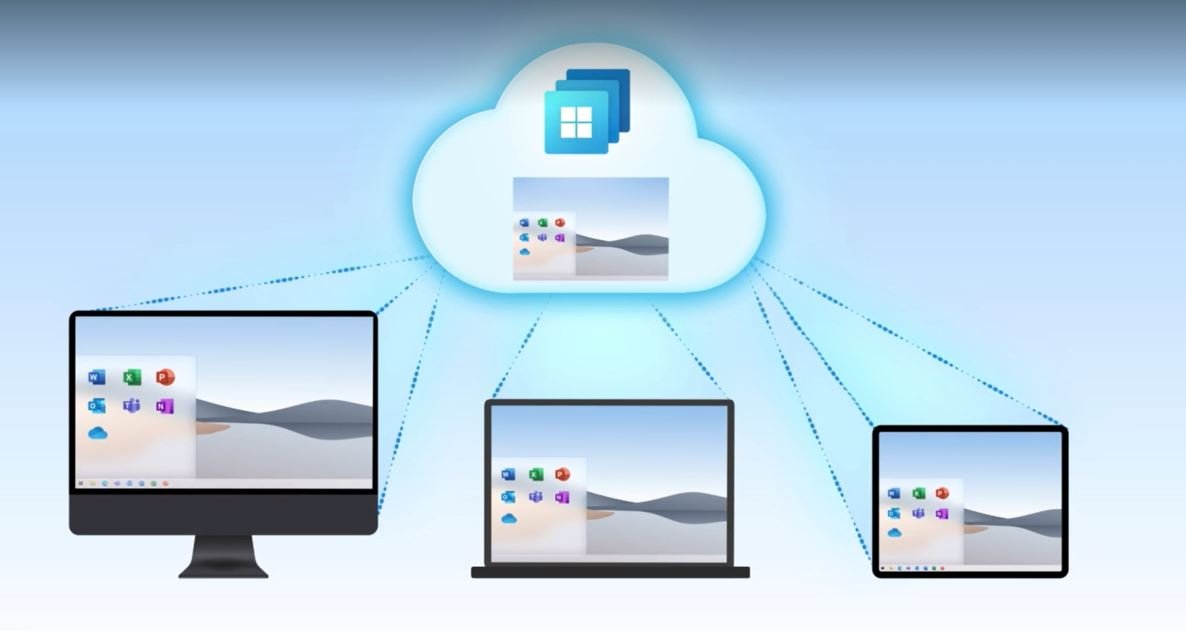 Some virtualization and Cloud Computing news: Microsoft is starting to offer Windows 10 in the Cloud (actually just a “re-branding” of their “Cloud PC.”) It will allow desktops that business customers can subscribe to, nothing for the regular consumer, of course.
Microsoft unveils Windows 365, a Windows 10 PC in the cloud
Engadget – By: D. Hardawar – “Windows 365, a new service announced today at the Microsoft Inspire conference, is basically an unintentional riff on the Yo Dawg meme: Microsoft put Windows in the cloud so you can run a Windows computer while you’re running your computer. You can just call it a Cloud PC, as Microsoft does. It’s basically an easy-to-use virtual machine that lets you hop into your own Windows 10 (and eventually Windows 11) installation on any device, be it a Mac, iPad, Linux device or Android tablet. Xzibit would be proud.
While Windows 365 doesn’t come completely out of nowhere — rumors about some kind of Microsoft cloud PC effort have been swirling for months — its full scope is still surprising. It builds on Microsoft’s Azure Virtual Desktop service, which lets tech-savvy folks also spin up their own virtual PCs, but it makes the entire process of managing a Windows installation in a far-off server far simpler. You just need to head to Windows365.com when it launches on August 2nd (that domain isn’t yet live), choose a virtual machine configuration, and you’ll be up and running. (Unfortunately, we don’t yet know how much the service is going to cost, but Microsoft says it will reveal final pricing on August 1st.)
Windows 365 likely isn’t going to mean much for most consumers, but it could be life-changing for IT departments and small businesses. Now, instead of managing local Windows installations on pricey notebooks, IT folks can get by with simpler hardware that taps into a scalable cloud. Windows 365 installations will be configurable with up to eight virtual CPUs, 16GB of RAM and 512GB of storage at the time of launch. Microsoft is also exploring ways to bring in dedicated GPU power for more demanding users, Scott Manchester, the director of Program Management for Windows 365, tells us.
Smaller businesses, meanwhile, could set up Windows 365 instances for their handful of employees to use on shared devices. And instead of lugging a work device home, every Windows 365 user can securely hop back into their virtual desktops from their home PCs or tablets via the web or Microsoft’s Remote Desktop app. During a brief demo of Windows 365, running apps and browsing the web didn’t seem that different than a local PC. It’s also fast enough to stream video without any noticeable artifacts, Manchester says. (Microsoft is also using technology that can render streaming video on a local machine, which it eventually passes over to your Cloud PC.) You’ll also be able to roll back your Cloud PC to previous states, which should be helpful if you ever accidentally delete important files.
While the idea for Windows 365 came long before the pandemic, Microsoft workers spent the last year learning first-hand how useful a Cloud PC could be. They used a tool meant for hybrid work — where you can easily switch between working in an office or remotely — while stuck at home during the pandemic.
But why develop Windows 365 when Azure Virtual Desktop already exists? Manchester tells us that Microsoft noticed a whopping 80 percent of AVD customers were relying on third-party vendors to help manage their installations. “Ultimately, they were looking for Microsoft to be a one-stop-shop for them to get all the services they need to,” he said said.
That statistic isn’t very surprising. Virtualizing operating systems has been a useful local tool for developers over the last few decades, but it’s typically been a bit too difficult for mainstream users to manage on their own. And even though a tool like Azure Virtual Desktop brought it to the cloud (Manchester assures us that’s not going anywhere either), it’s even more difficult to manage.
One thing Windows 365 doesn’t mean, at least at this point, is the end of traditional computers. ‘I think we’ll still continue to have great client PC experiences,’ said Melissa Grant, director of Product Marketing for Windows 365, in an interview. ‘You know we have a relationship with our laptops. It is our sort of home and hub for our computing experience. What we want to offer with Windows 365 is the ability to have that same familiar and consistent Windows experience across other devices.'”